
Start with a dimensioned profile
Define the outside shape and hole locations, then extrude the profile into a solid.
CLOUD-BASED ENTERPRISE CAD/CAM
Design parts, program CNC jobs, and review your work from anywhere you have a browser and internet access. An everyday computer can run WindFire.
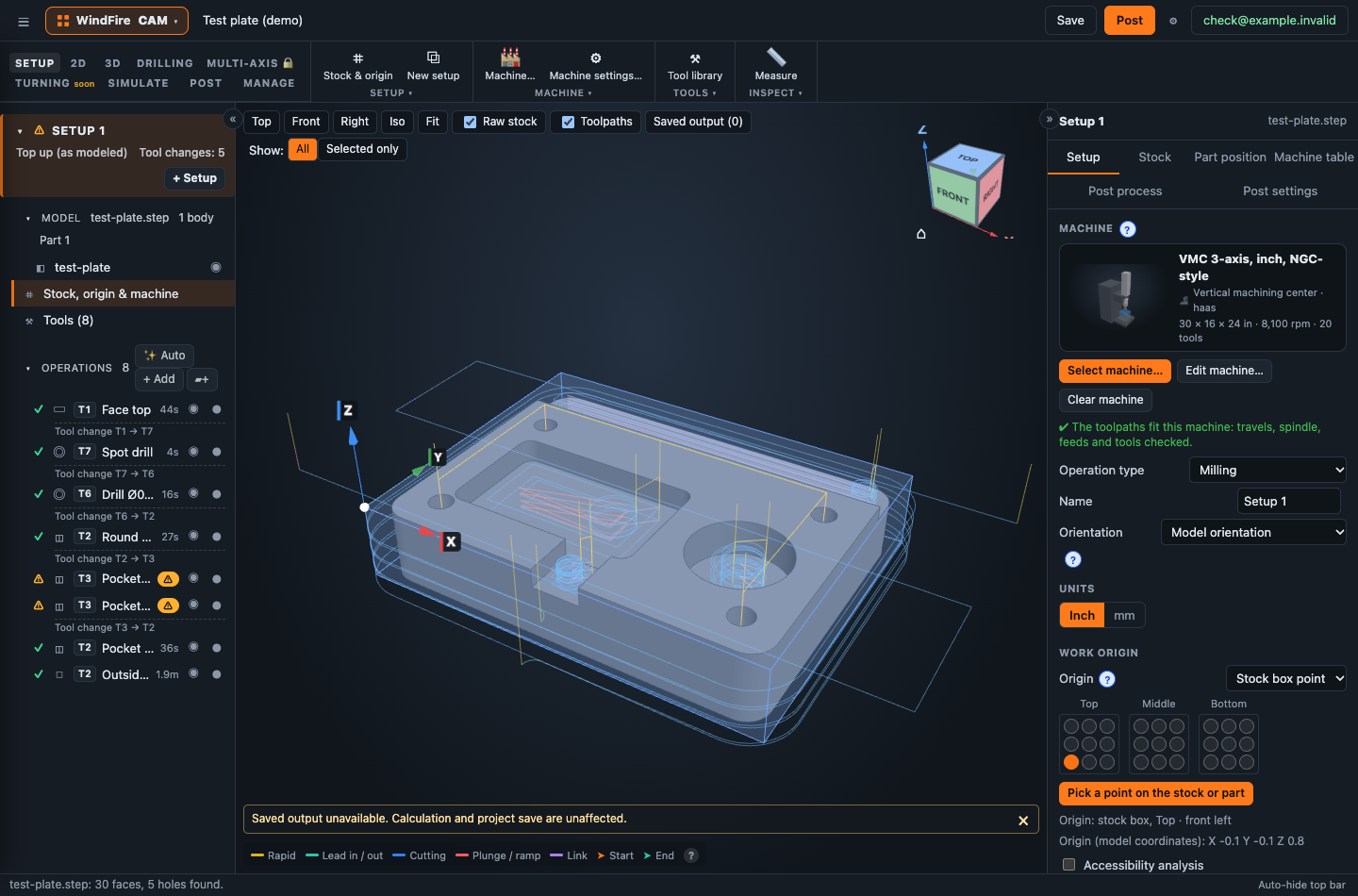
WORKSPACES
CAD, CAM, NC review, drawings, rendering, animation, and simulation share one workflow. Bundled plans can lower the cost of licensing those tools separately.
INTERACTIVE EXAMPLE
Follow a simple machined test plate from sketch to toolpath to drawing. This animated example illustrates the workflow.
Define the outside shape and hole locations, then extrude the profile into a solid.
APPLICATION EXAMPLES
Explore real WindFire workspaces and sample projects.
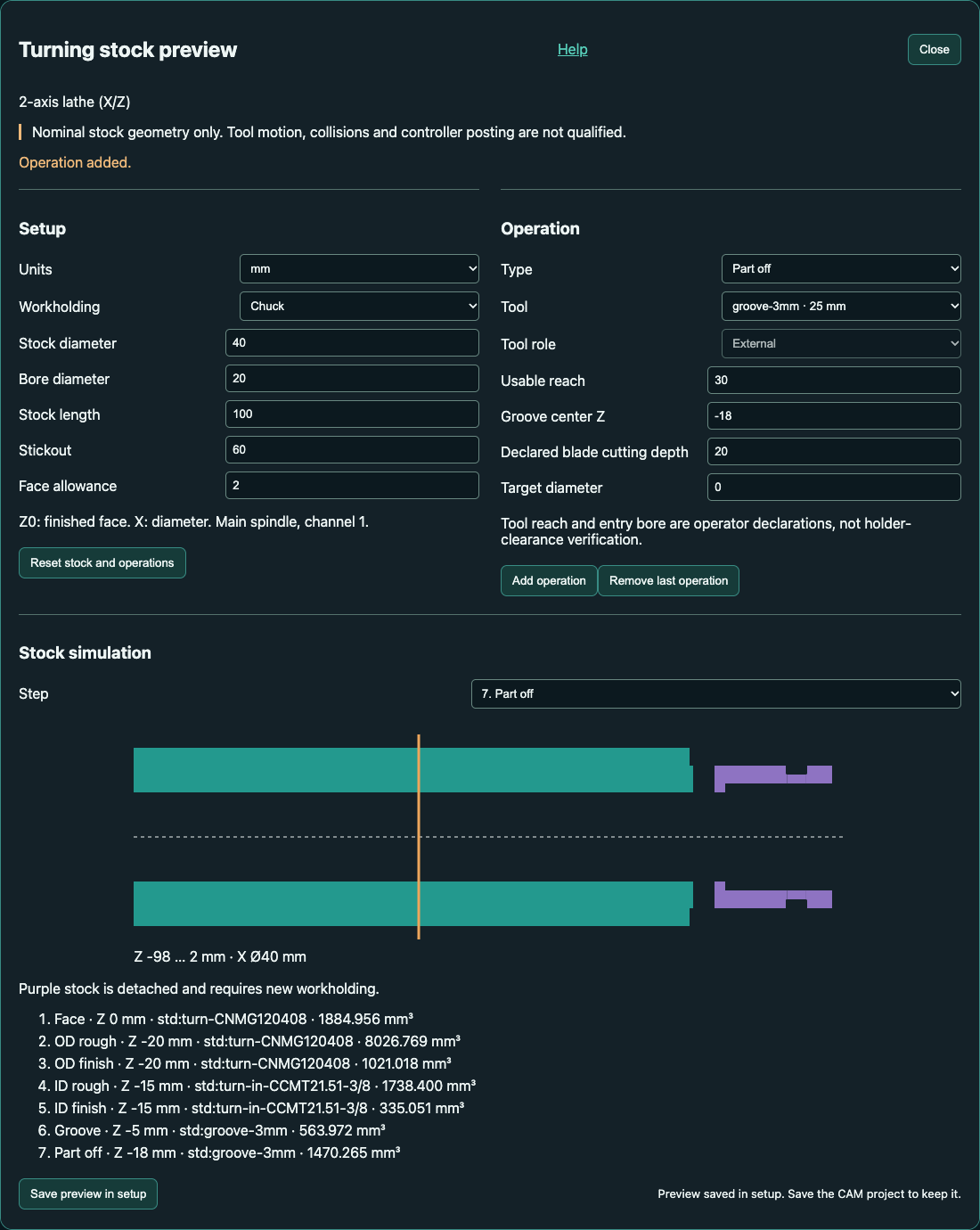 Turning setupPreview round stock and set up turning tools. Turning NC output depends on the supported machine and operation.Open CAM
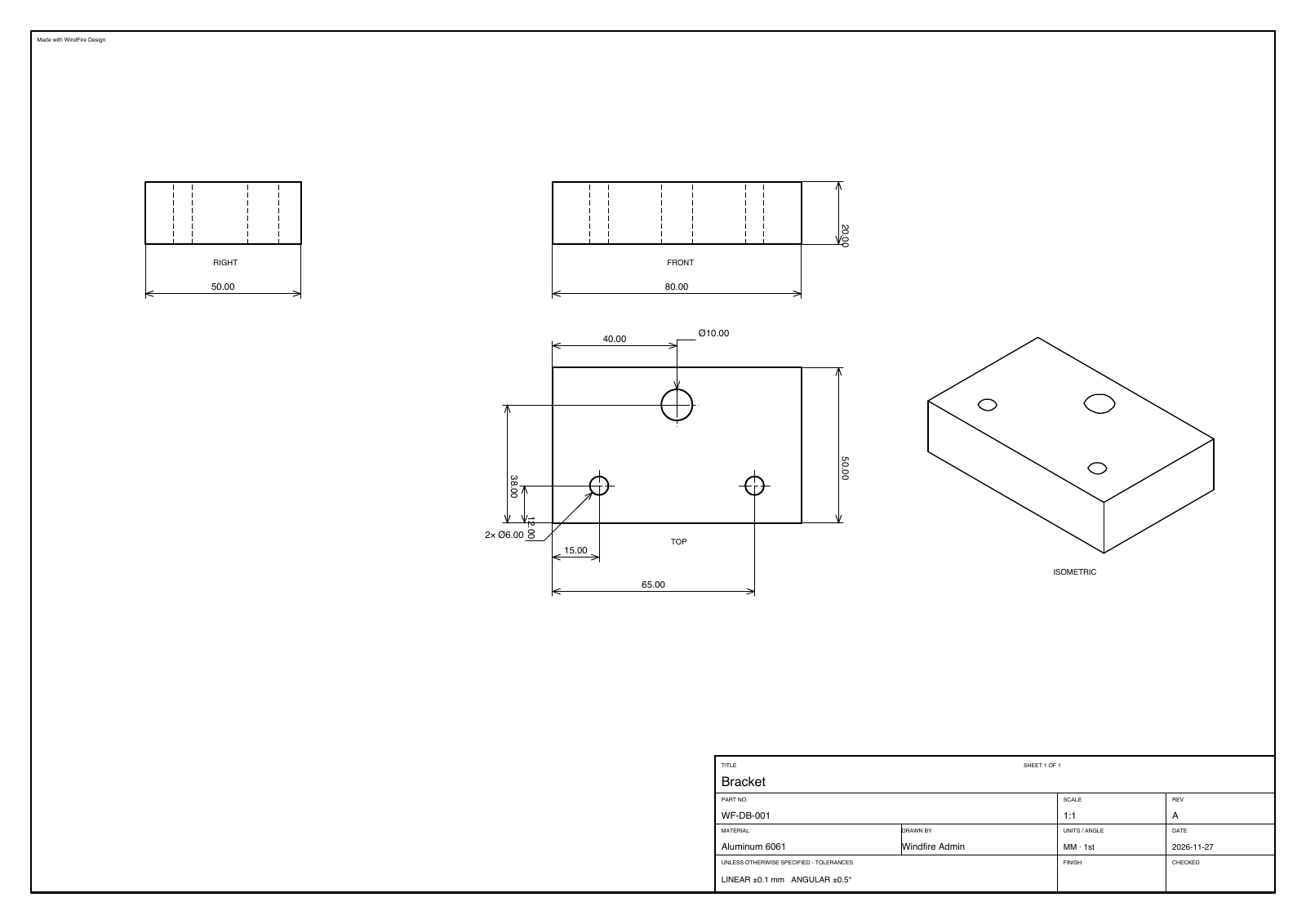 Bracket drawingCompare views, place grouped hole callouts and export a shareable sheet.Open the Drawing Builder guide
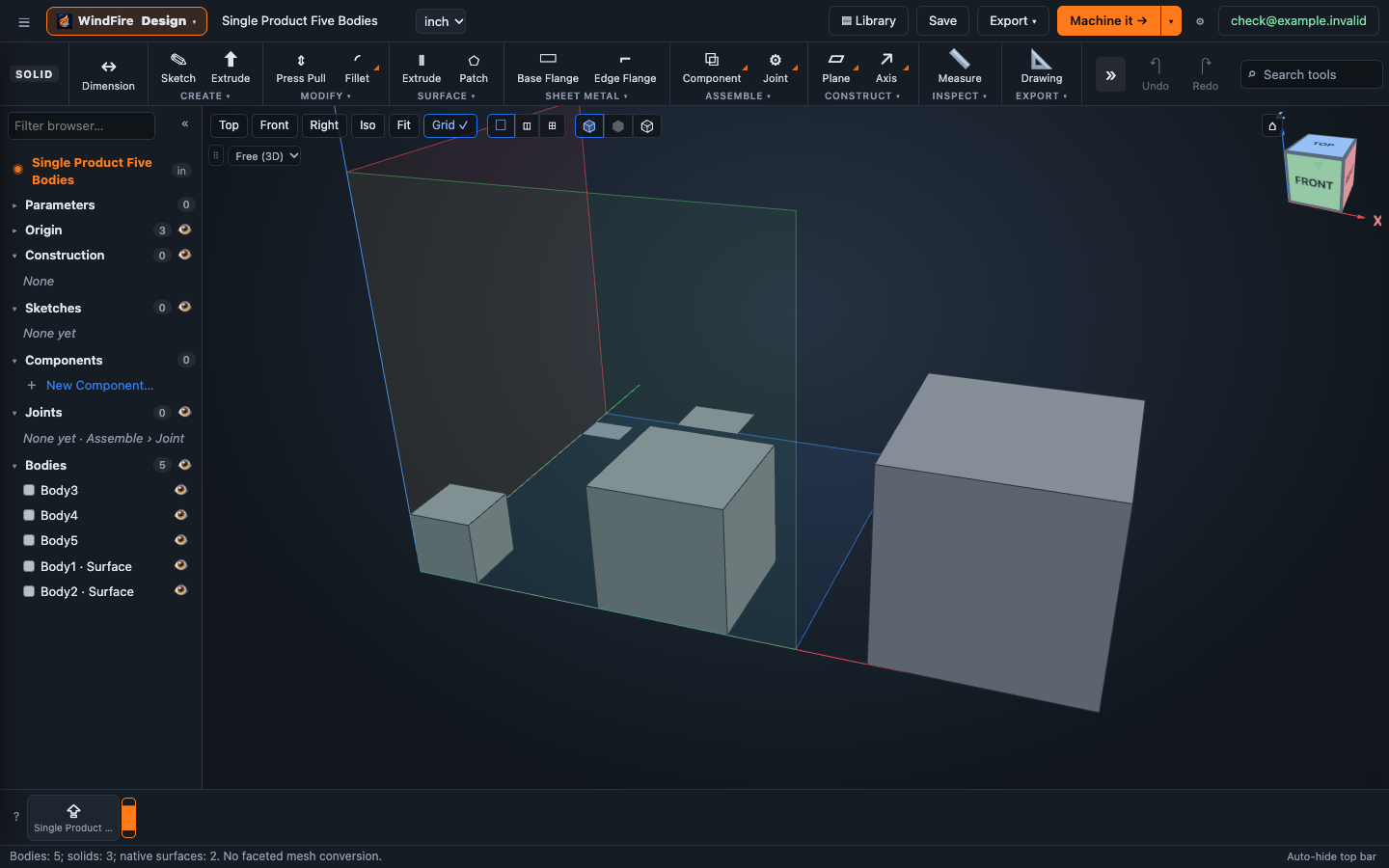 STEP assemblyInspect imported bodies and organize them for the next design or machining step.Try the Design demo
Open the free NC Viewer or check trial availability for the Engineering suite.